Code action in Workflow
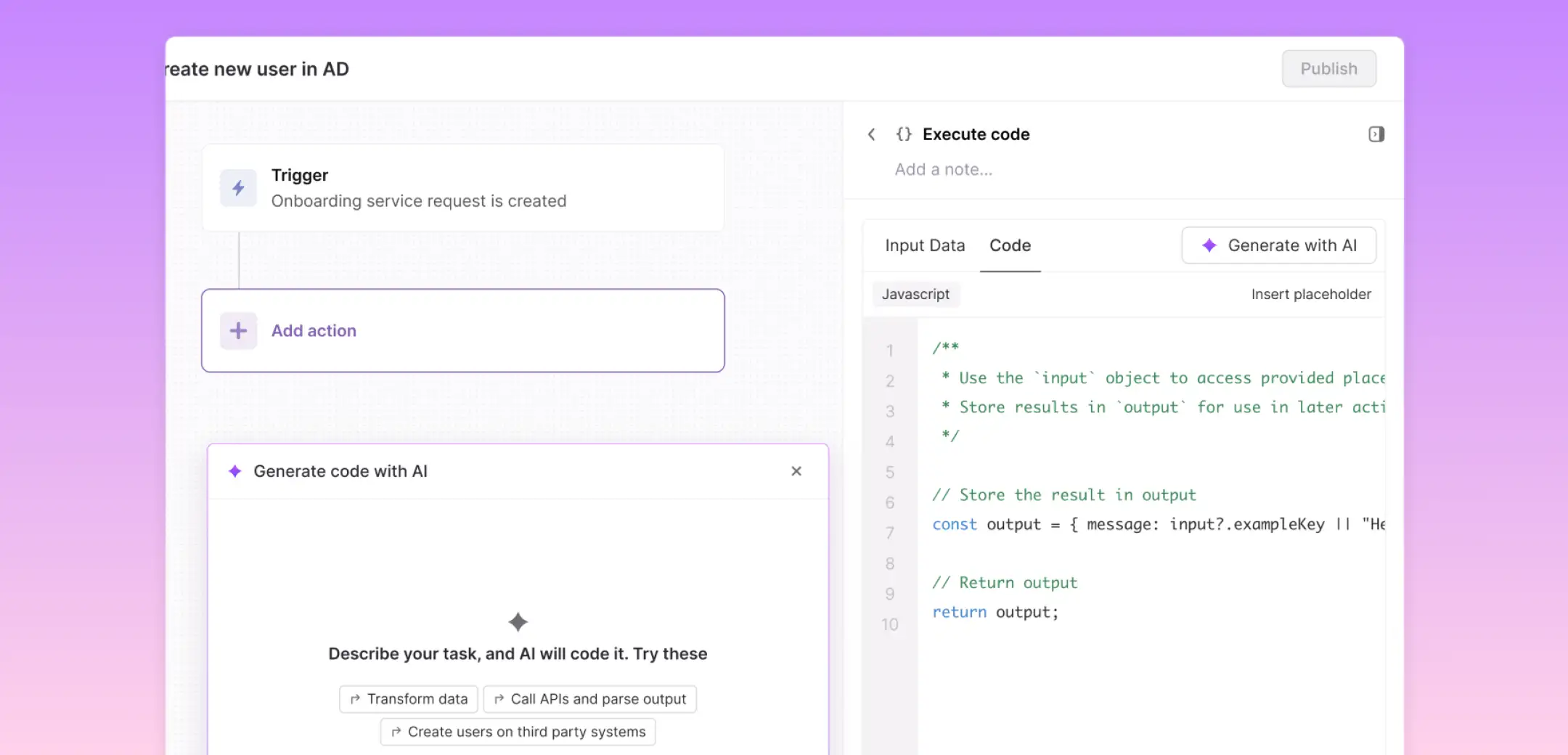
Designed a workflow action that enables admins to extend and customize employee support ticket workflows using code.
- My role
- Research to dev handoff
- Collaborators
- 1 PM, 3 Engineers
- Year
- 2025
About Atomicwork
Atomicwork is an AI-powered service management platform that helps employees get support quickly and efficiently.
Background
A powerful builder, but admins kept hitting its ceiling
Atomicwork's workflow builder lets admins automate how employee tickets are handled. It supported around 15 built-in actions: Webhooks, Slack and Teams notifications, Azure user creation, and more.
But admins' needs are vast. Their company might be using apps we don't support, or they needed custom logic the builder simply couldn't express.

Use cases the builder didn't support
Data sanitization
Cleaning and reformatting ticket fields before routing them downstream.
Date & time conversion
Handling timezone math and scheduling logic specific to their org.
Currency conversion
For teams operating in multiple countries.
The challenge
Every customization became an engineering ticket
Since the existing builder couldn't handle these cases, customers routinely asked the engineering team to handle custom logic on the backend. Every request meant an engineering ticket, a wait, and back-and-forth for something that should have been self-serve.
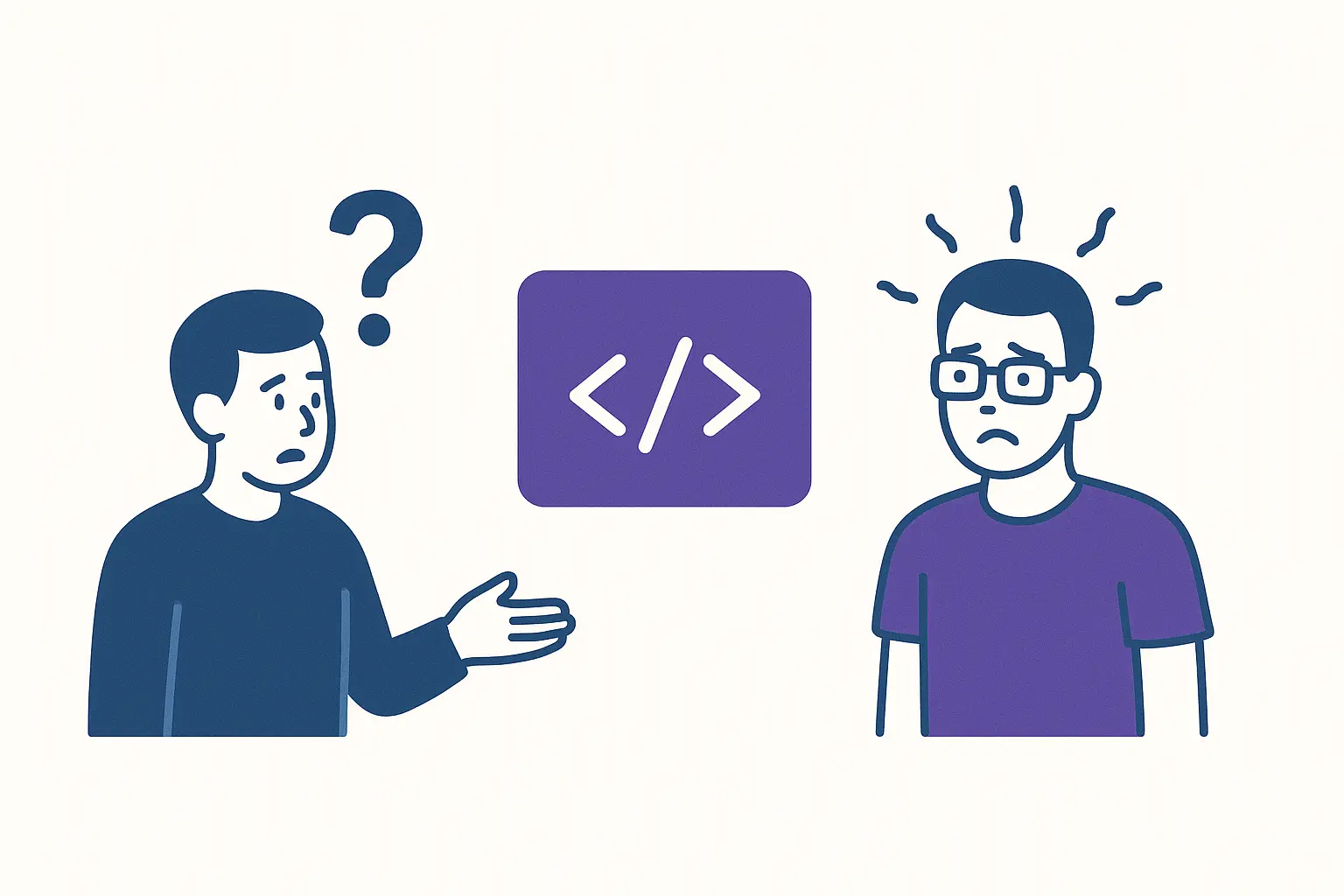
The challenge was to give admins a way to express arbitrary logic themselves, without turning the workflow builder into a full IDE they'd never feel comfortable in.
Approach
Code and test, designed for non-engineers
The core idea: a dedicated action where admins can write code, pass in inputs from ticket properties, and test it.
Initial direction
The initial approach was to have a dedicated section for writing code and a way to test it.
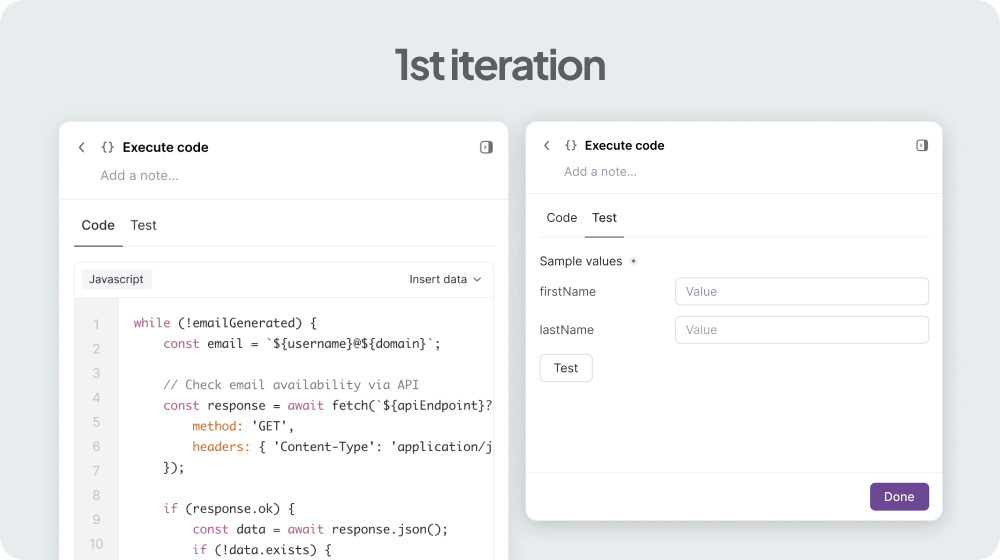
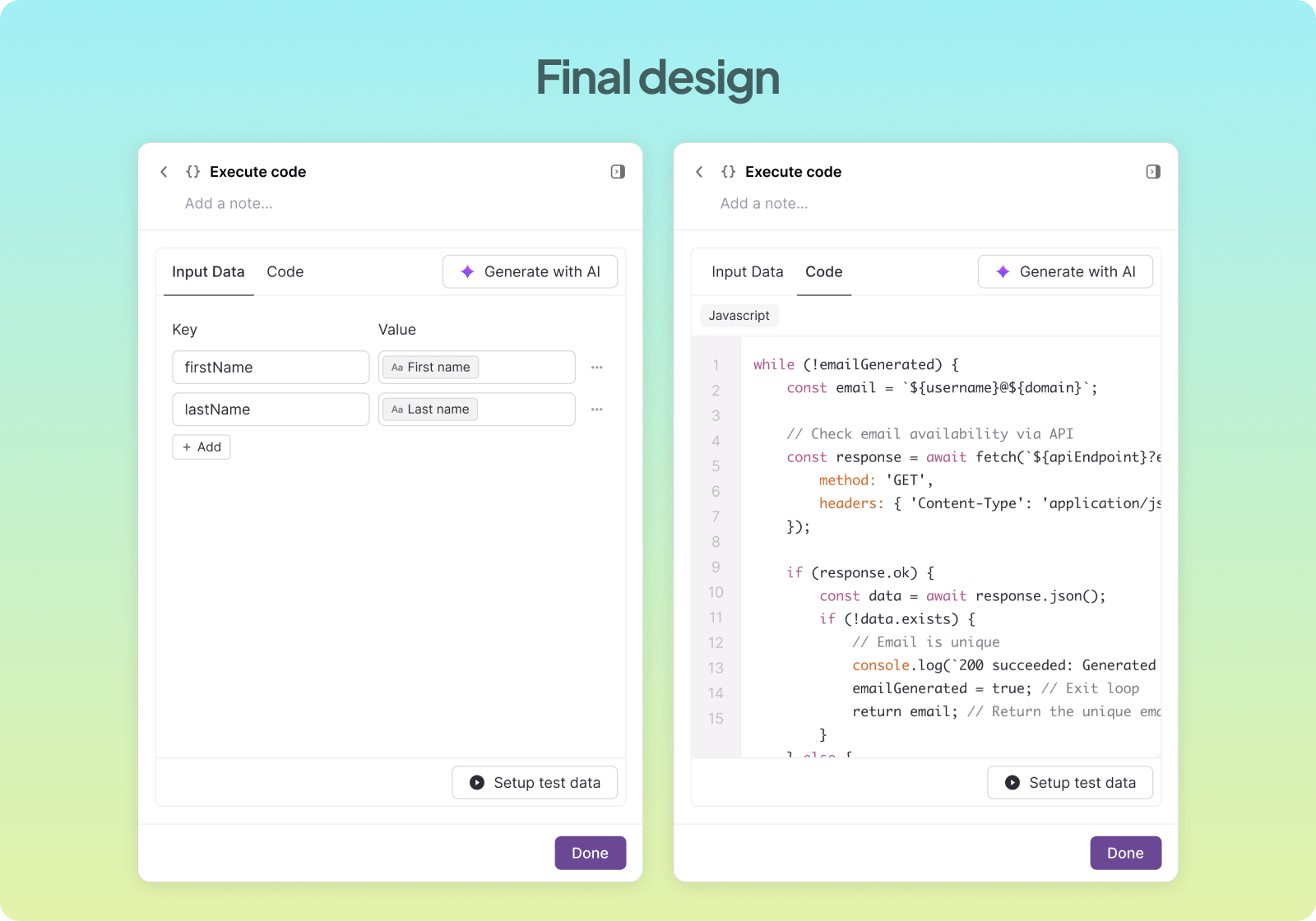
A lot of variables are used in the code editor, which makes it hard to manage everything in one place. If someone wants to quickly see what inputs are being used, it's difficult to read and track them directly in the editor. To solve this, we decided to add a dedicated section for variables.
Dedicated variables section
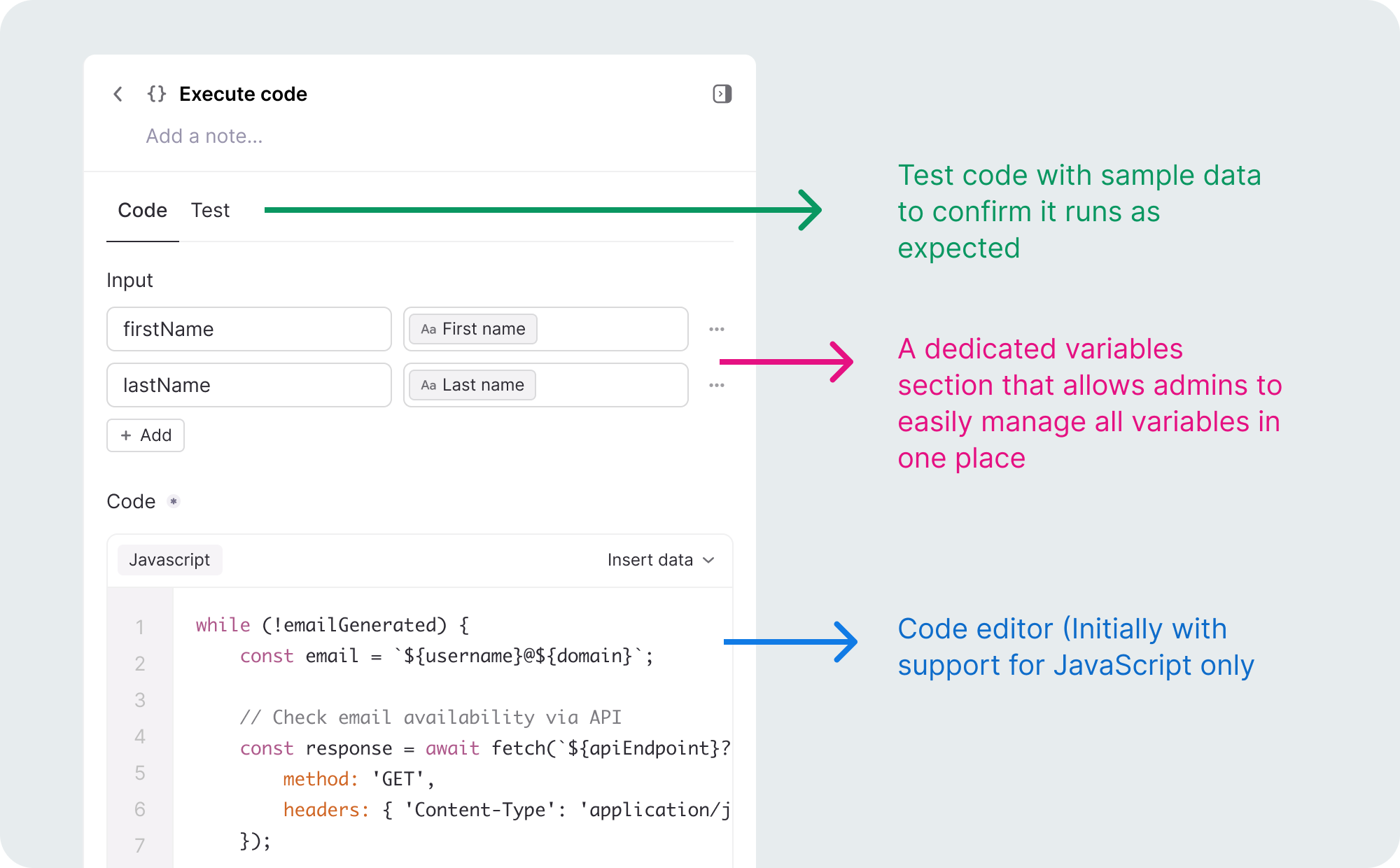
As more variables are added in the input section, the code editor gets pushed down, forcing admins to scroll up and down to refer back.
Variables section in a separate tab
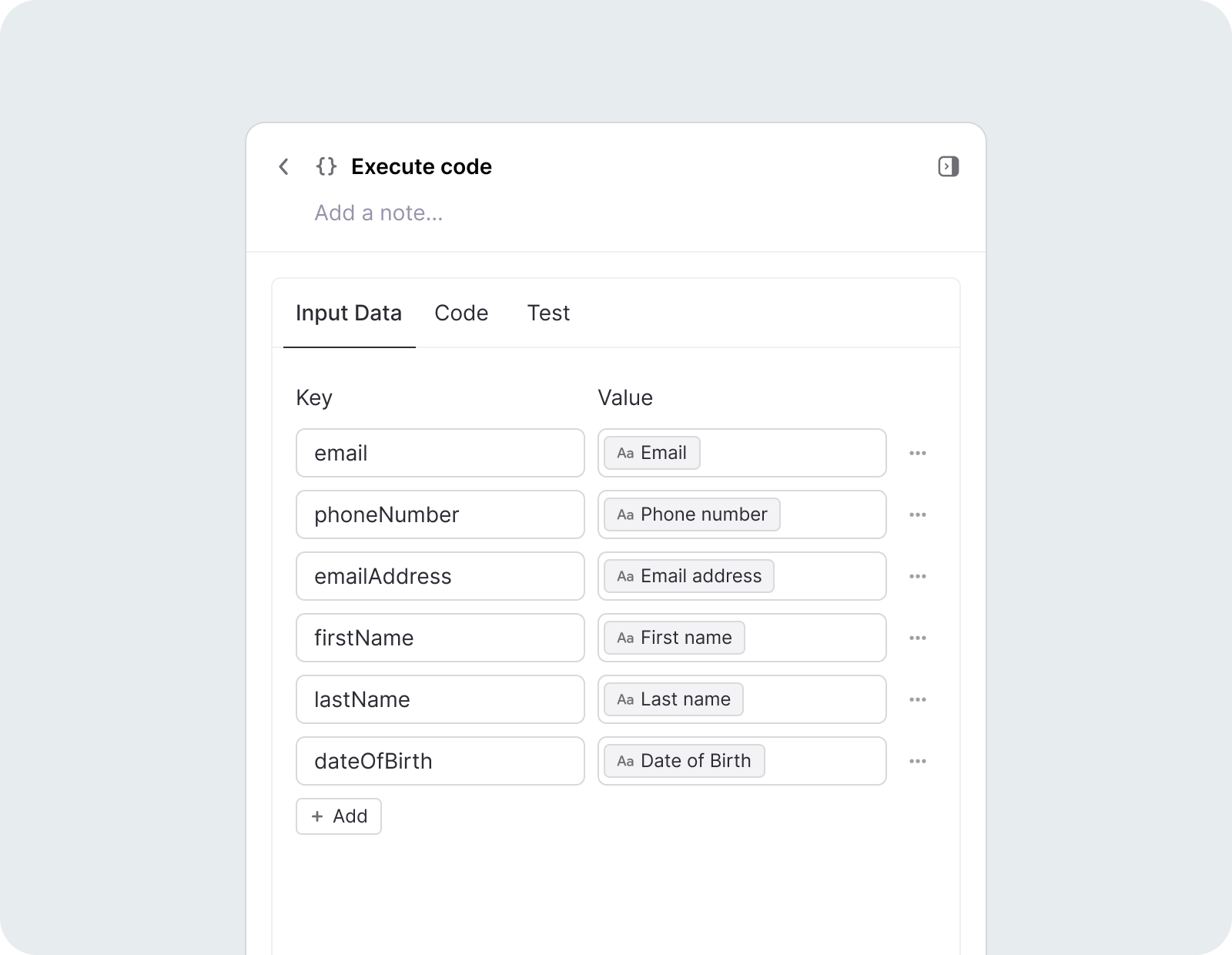
For better scalability, the variables section was moved to a separate tab.
Test experience
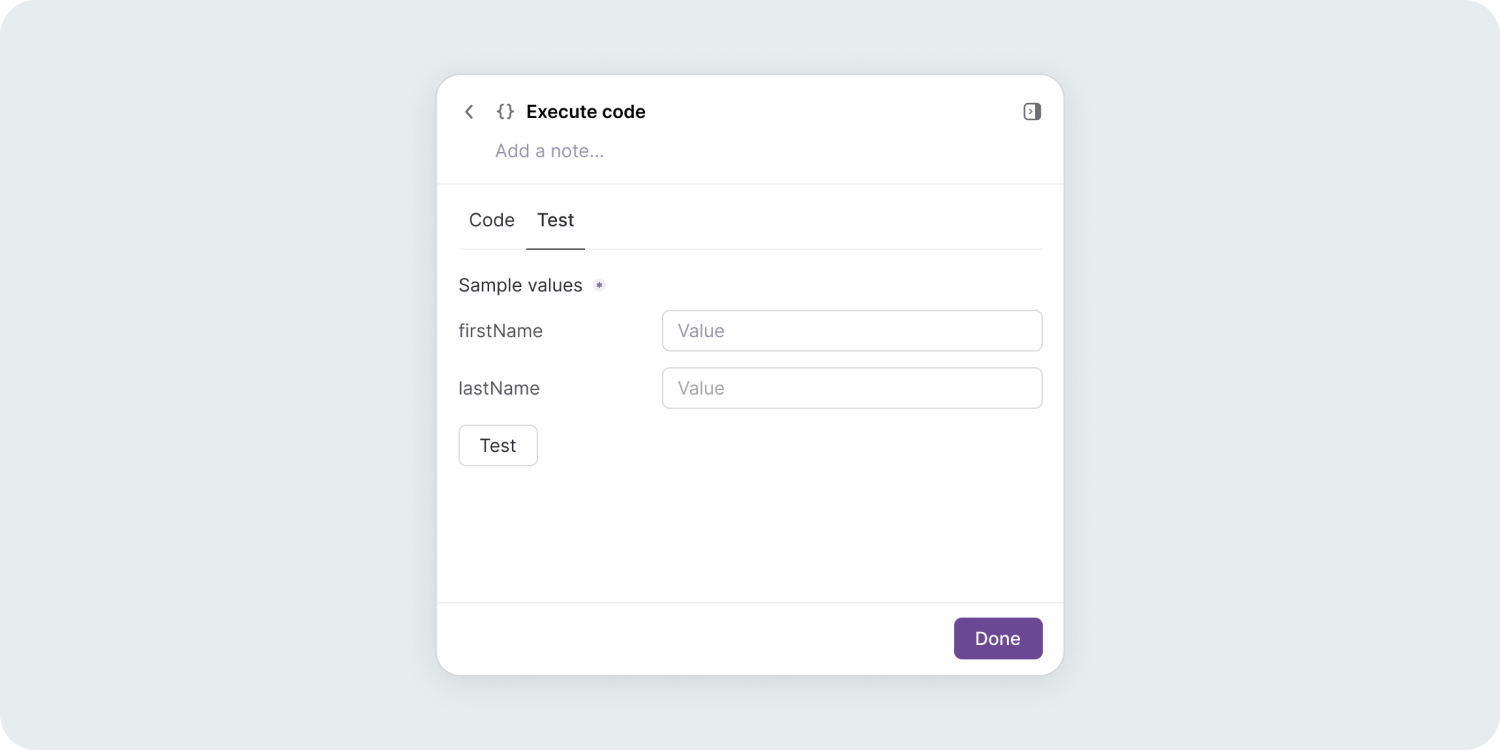
While writing code, users typically test it at different intervals. Forcing them to switch between tabs repeatedly creates unnecessary friction.
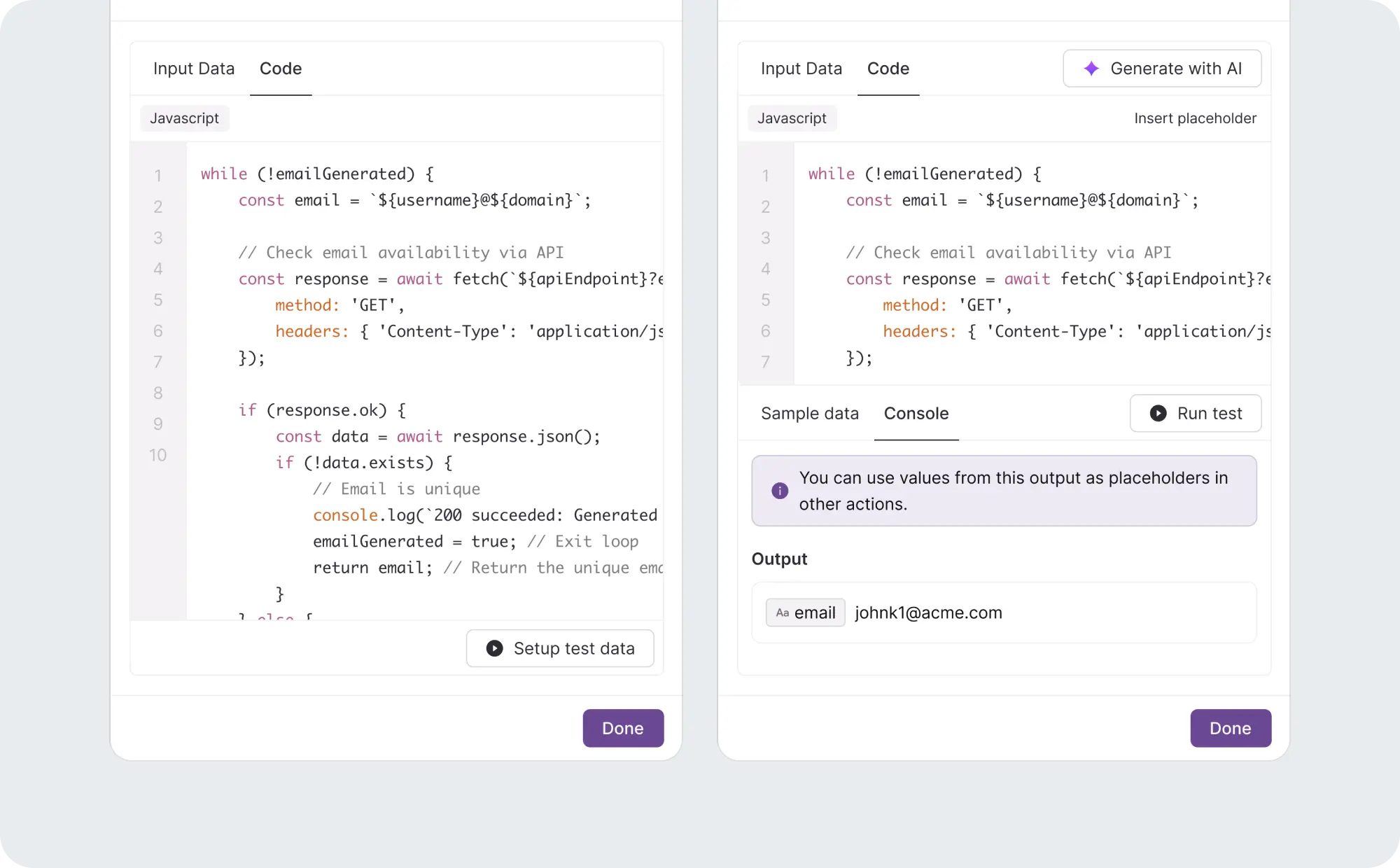
Testing was moved from a separate tab to sit directly alongside the code editor.
Gen AI
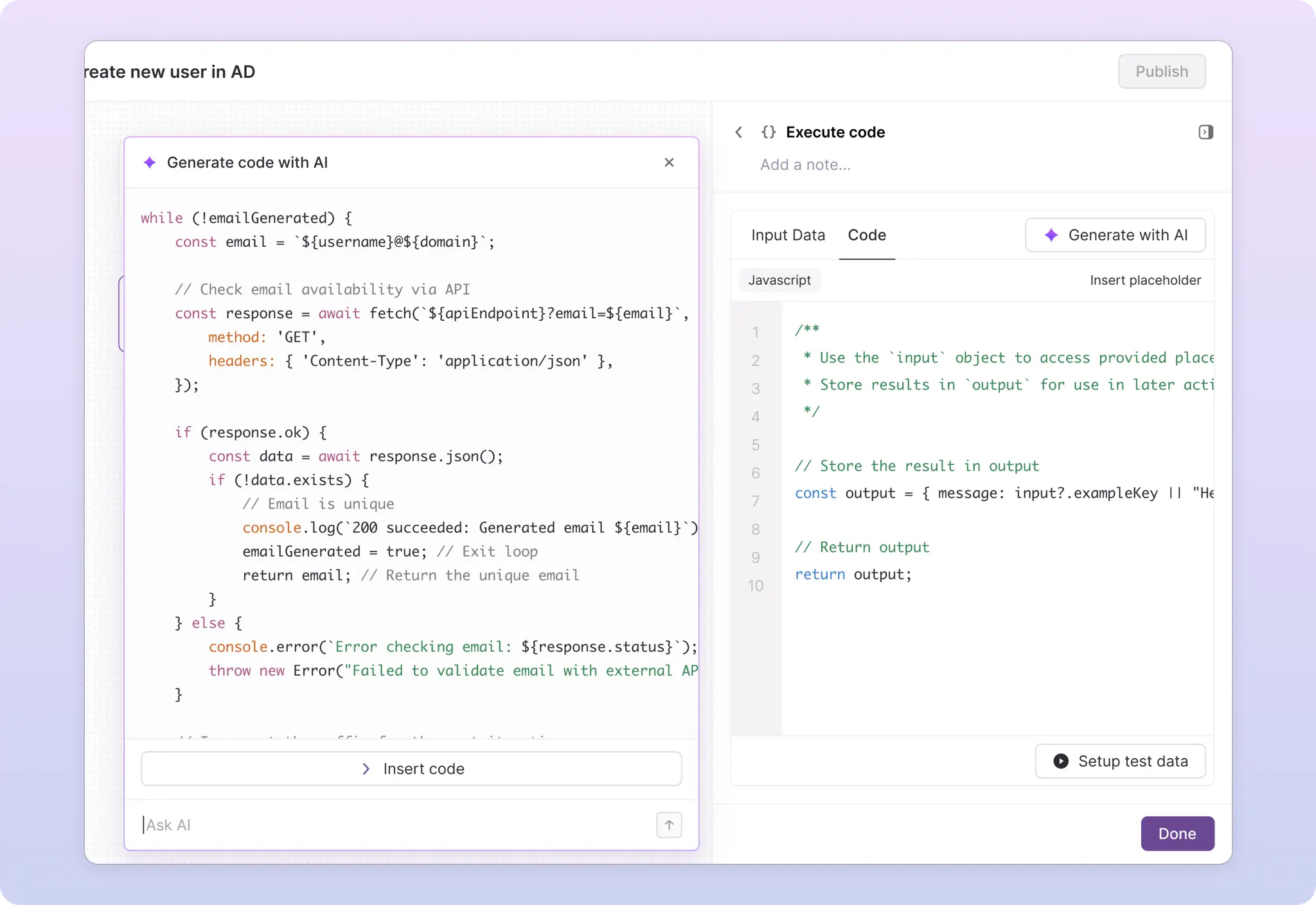
AI generates the code, admins just describe what they need
Not every admin is comfortable writing JavaScript. We added an AI assist that takes a plain-English description of what the code should do and generates the code, so admins never have to start from a blank editor.
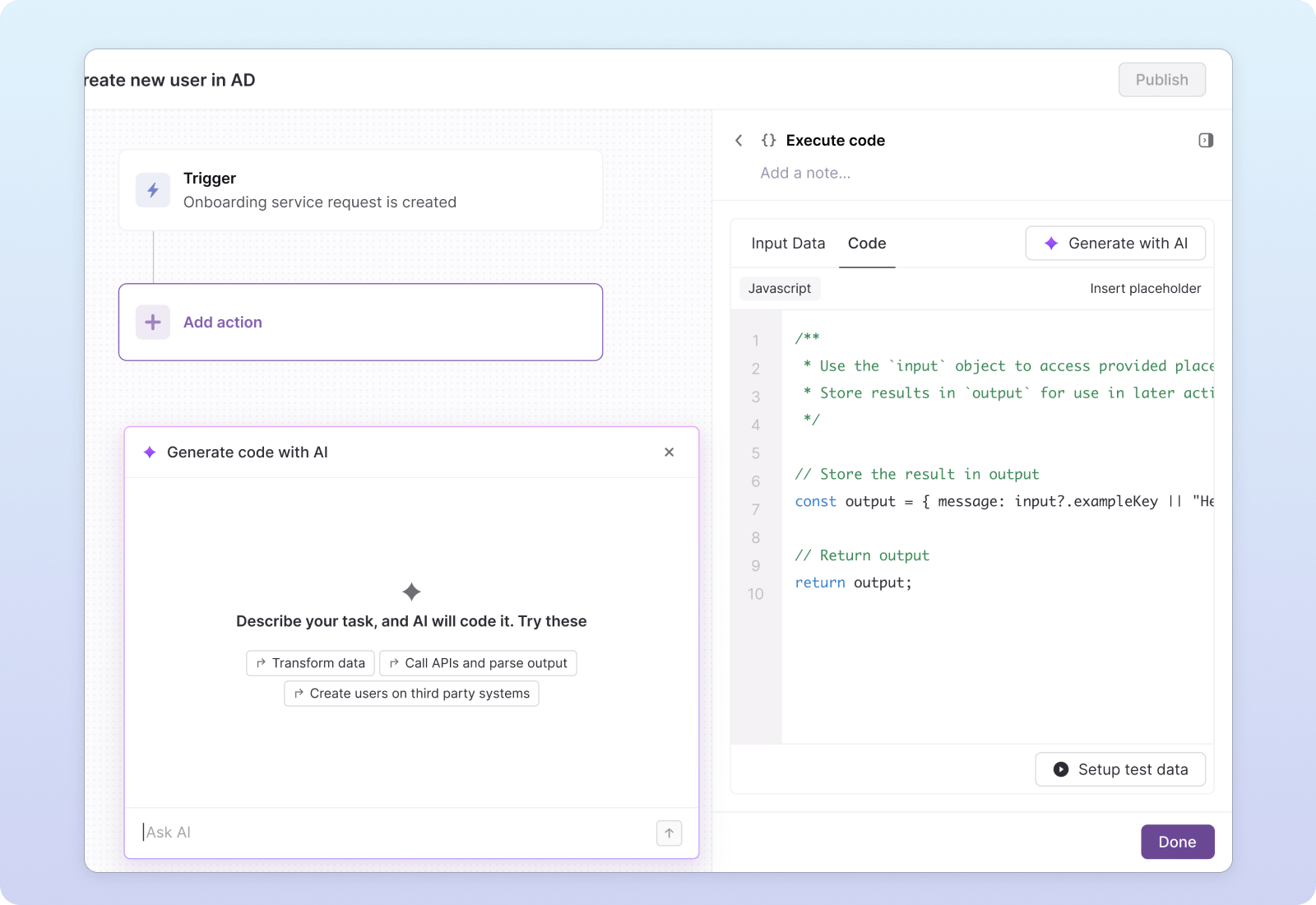
Prototype
See it in action
Outcome
Engineering freed up, automation unblocked
The code action shipped to all Atomicwork customers. Admins could now express custom logic themselves, and the engineering team stopped fielding requests that had nothing to do with the core product.
Up next