Onboarding revamp: from hand-held to self-serve
Designed the onboarding journey where users experience the aha moment by getting their first RFP answered by SiftHub in under 10 minutes.
- My role
- Research to handoff + shipped some code
- Collaborators
- 1 PM, 3 engineers
- Timeline
- 3 weeks
- Year
- 2026

About SiftHub
SiftHub helps sales and pre-sales teams respond to RFPs faster using AI. It learns from a company's existing documents like past proposals, Drive folders, and SharePoint, and auto-generates sourced answers to new RFP questions.
Background
Onboarding was unguided, and the team was filling the gap
Most users sign up to SiftHub to try RFP filling. But the product wasn't guided, so they couldn't figure it out on their own.
They'd end up relying on our solutions team just to get started, making the core thing they came for dependent on a human conversation. That was a bad experience across the board, and it became unworkable as we expanded to startups where we couldn't dedicate someone to every new account.
No guided path
Users landed in the product with no sense of what to do next.
No way through without help
Even RFP filling, the core use case, needed a solutions team member to make it work for users.
Team was the workaround
Every successful onboarding required a human from our side. That wasn't sustainable at scale.
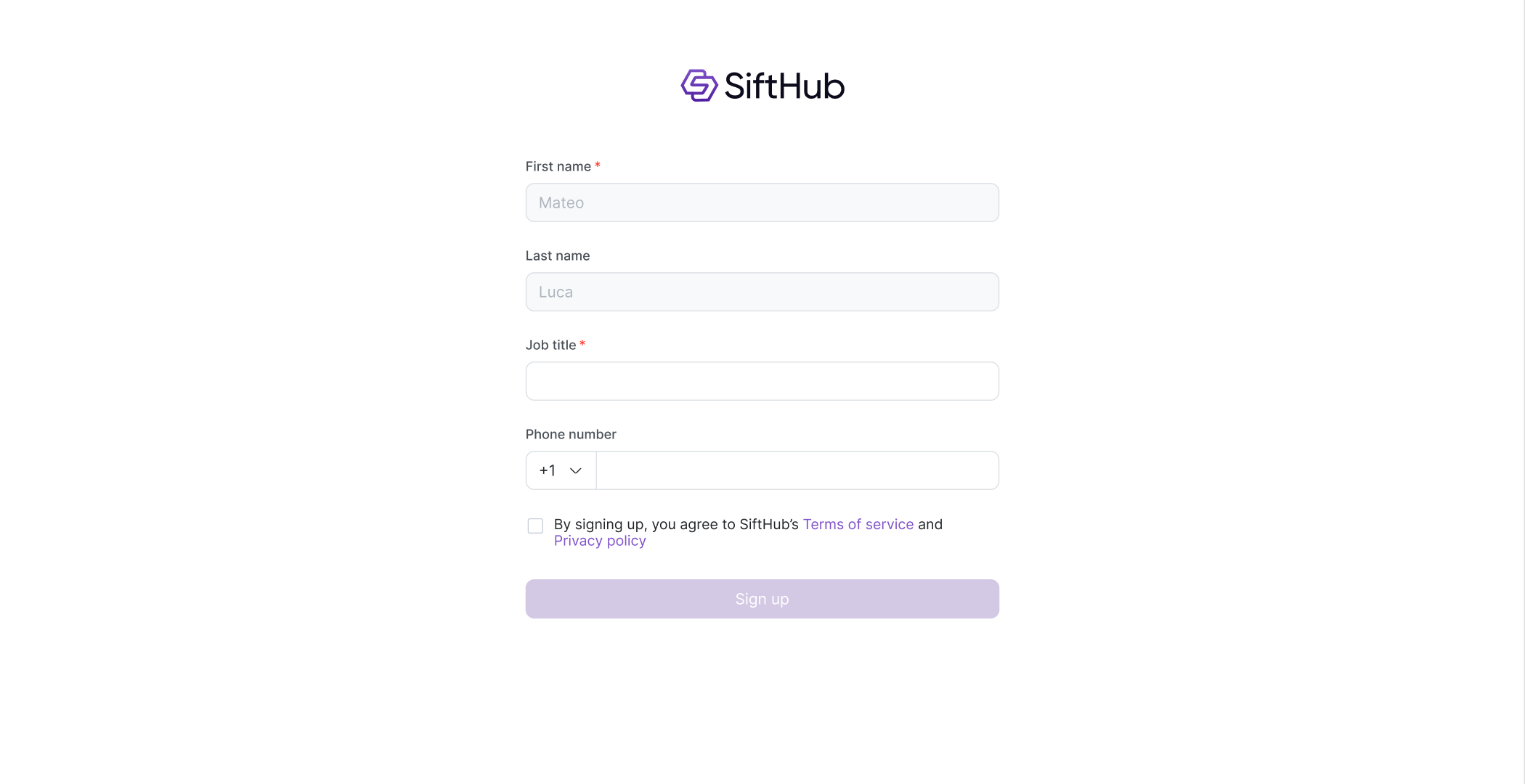
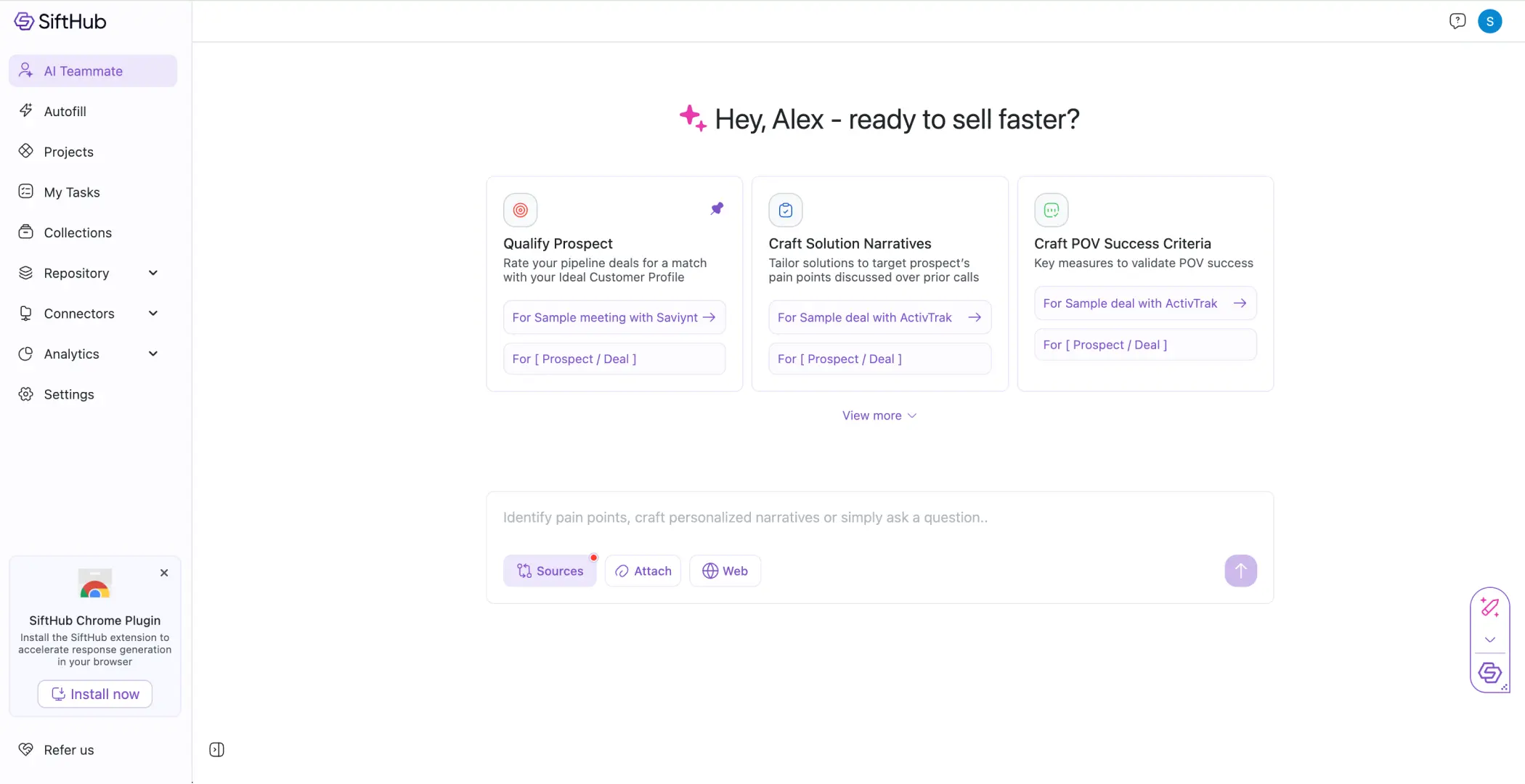
Magic link → Basic details.
The challenge
Get to the aha moment in under 10 minutes
The biggest risk with onboarding: the moment a step feels like setup work, they bail.
The tricky part: users have to connect their knowledge sources before they can see any value. That's also the most likely drop-off point. The challenge was making a necessary friction point feel invisible.
Approach
Steps built around the aha moment
Profile
Pre-filled
Sources
Connect docs
Preview
Aha moment ✦
RFP
Your own RFP
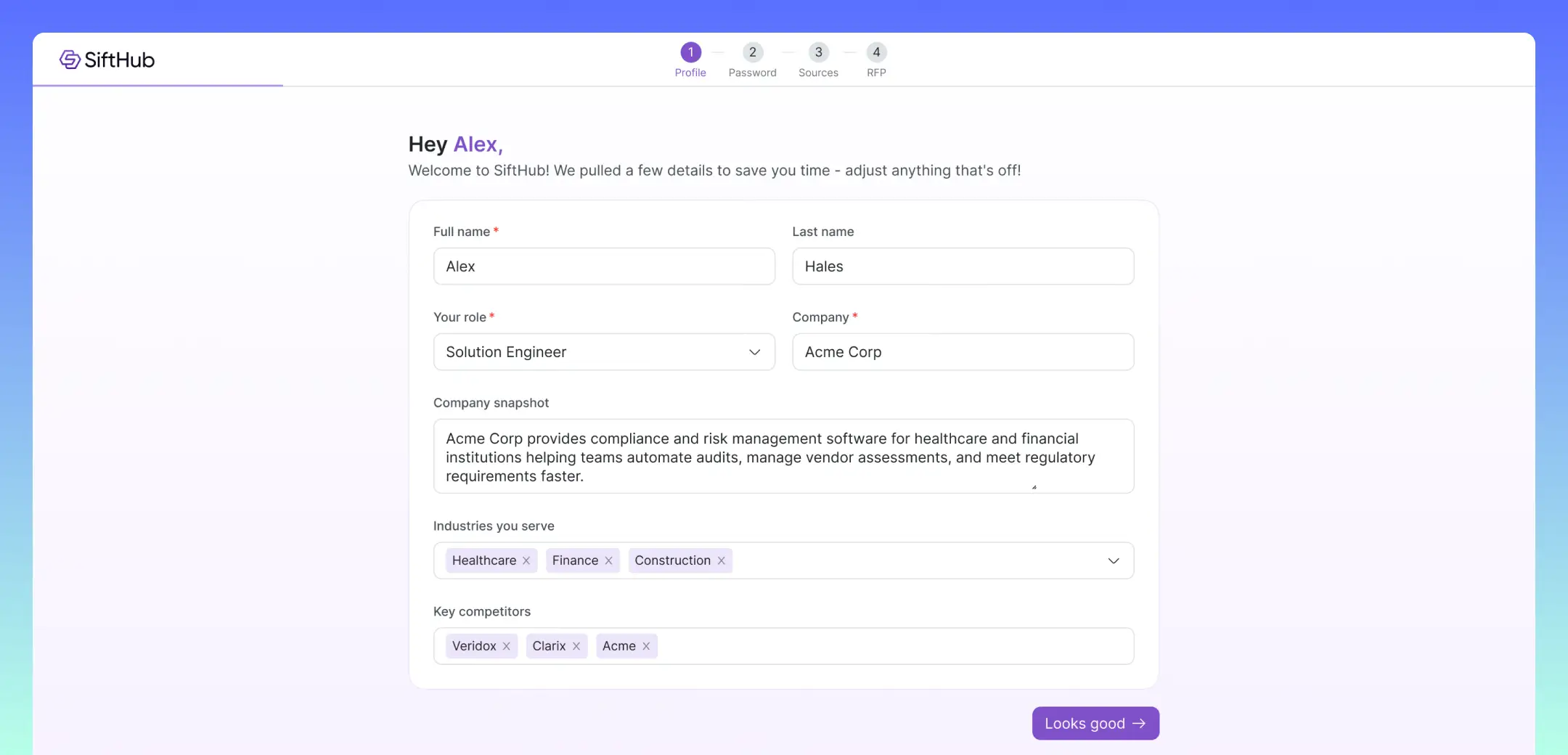
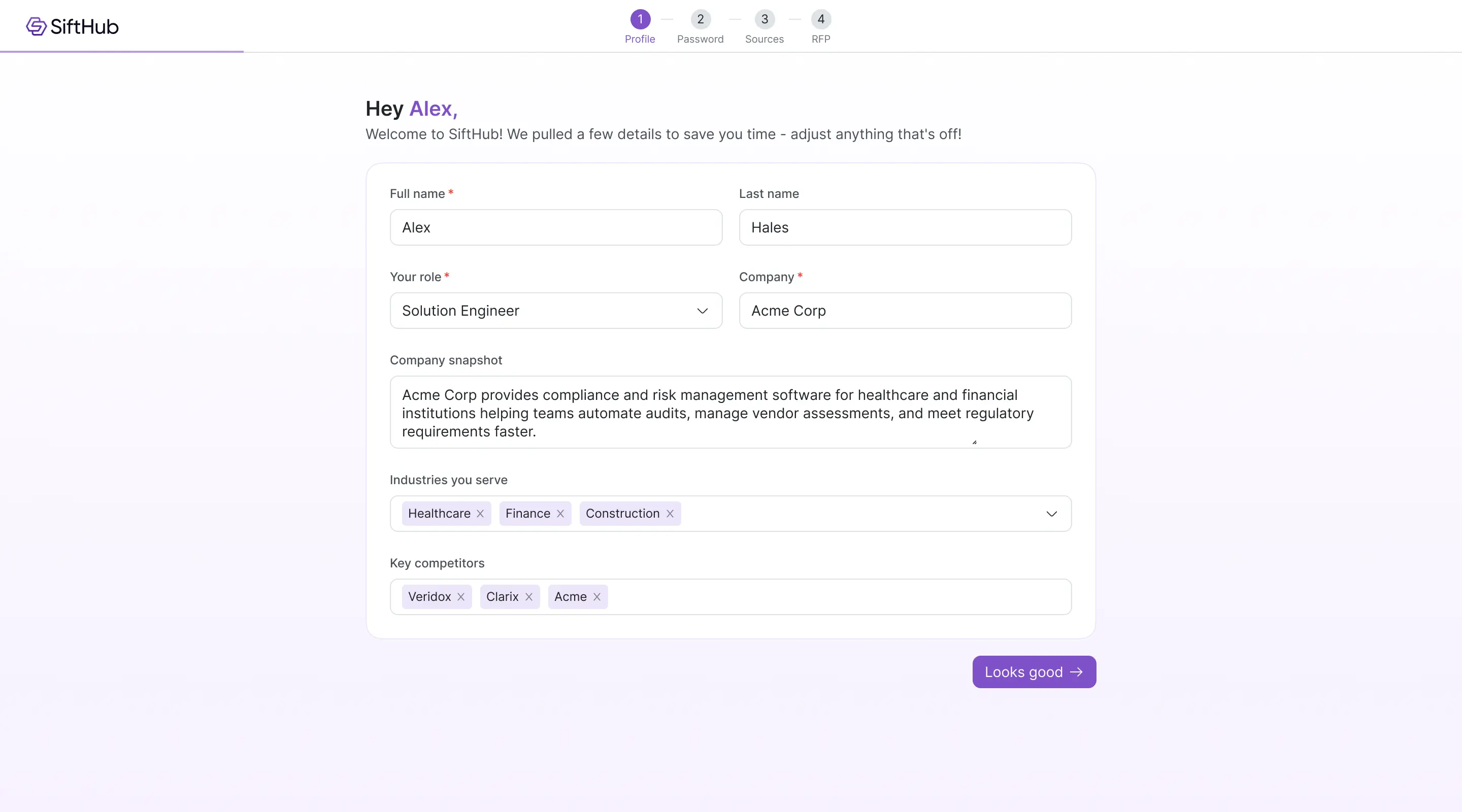
Profile, we fill it in for you
After clicking the magic link in their welcome email, users land on a profile page that's already populated using information from the company website.
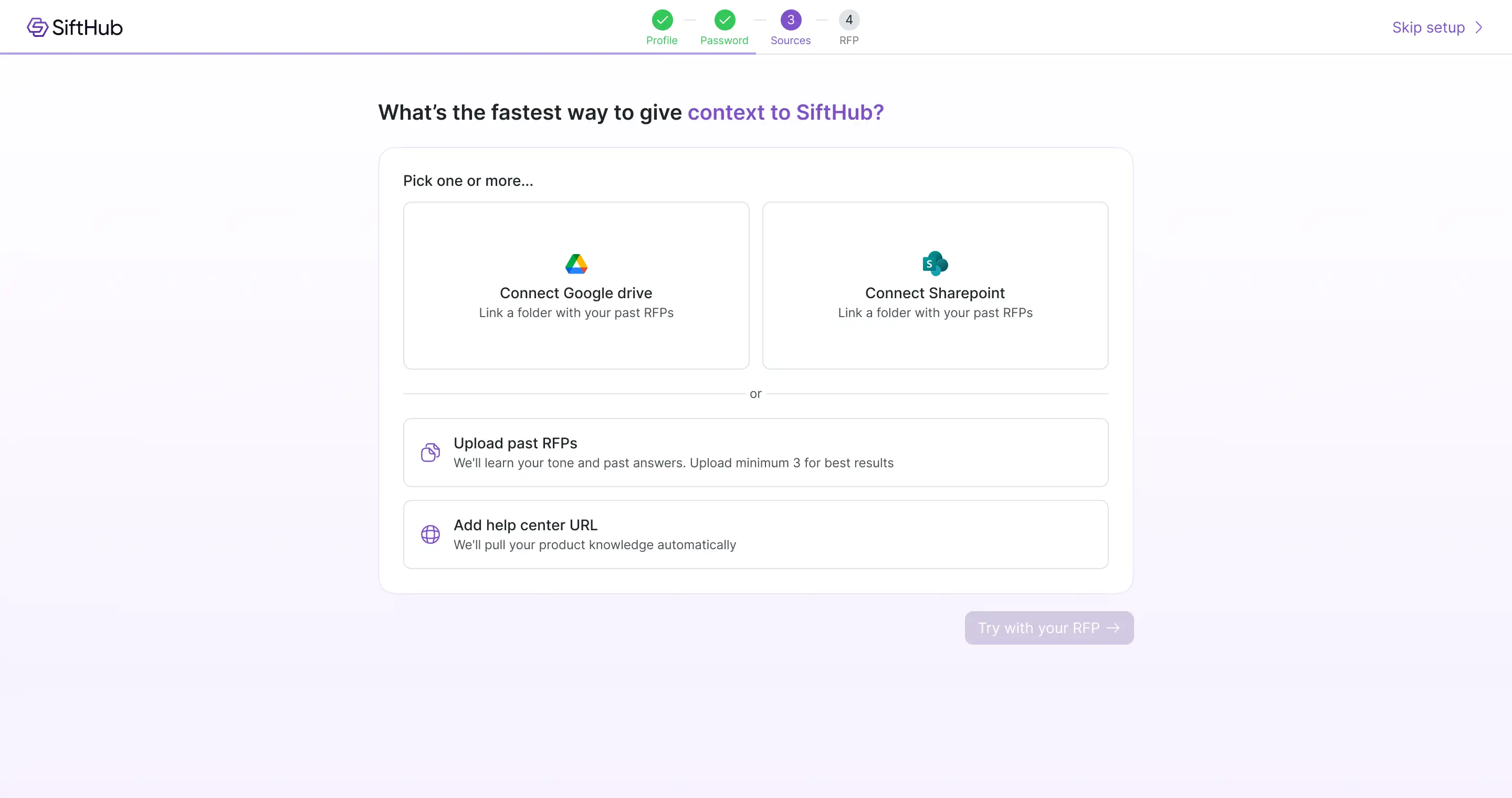
Sources, connect your knowledge base
This was the most critical step. Users had to give SiftHub their content for anything to work, but it was also the most likely drop-off point. The framing question shifted from "upload your files" to "what's the fastest way to give context to SiftHub?"
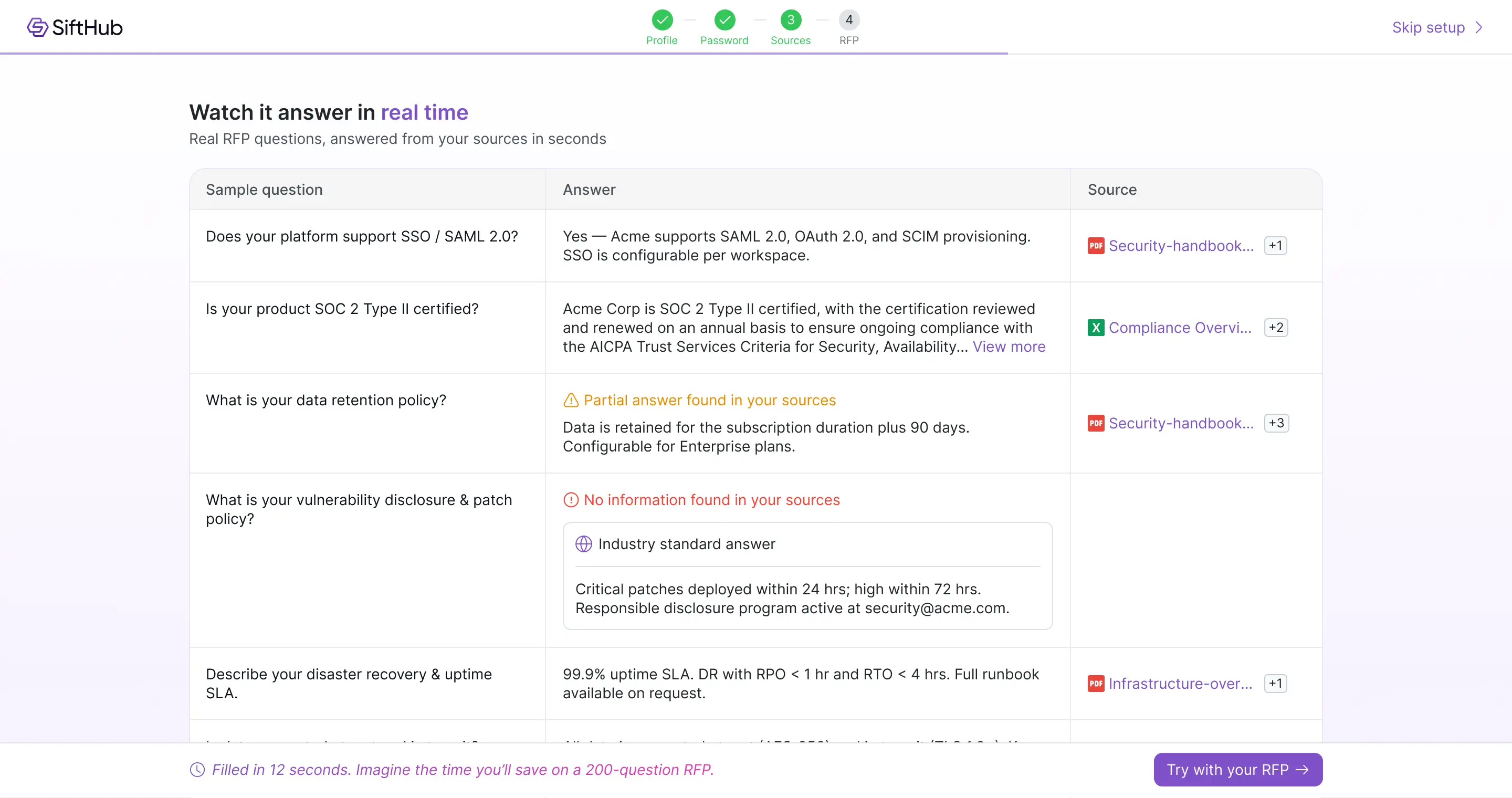
Preview, the aha moment ✦
SiftHub fills 12 sample RFP questions using the content they uploaded, so they don't need to bring their own RFP yet. This is where they see the product's value for the first time.
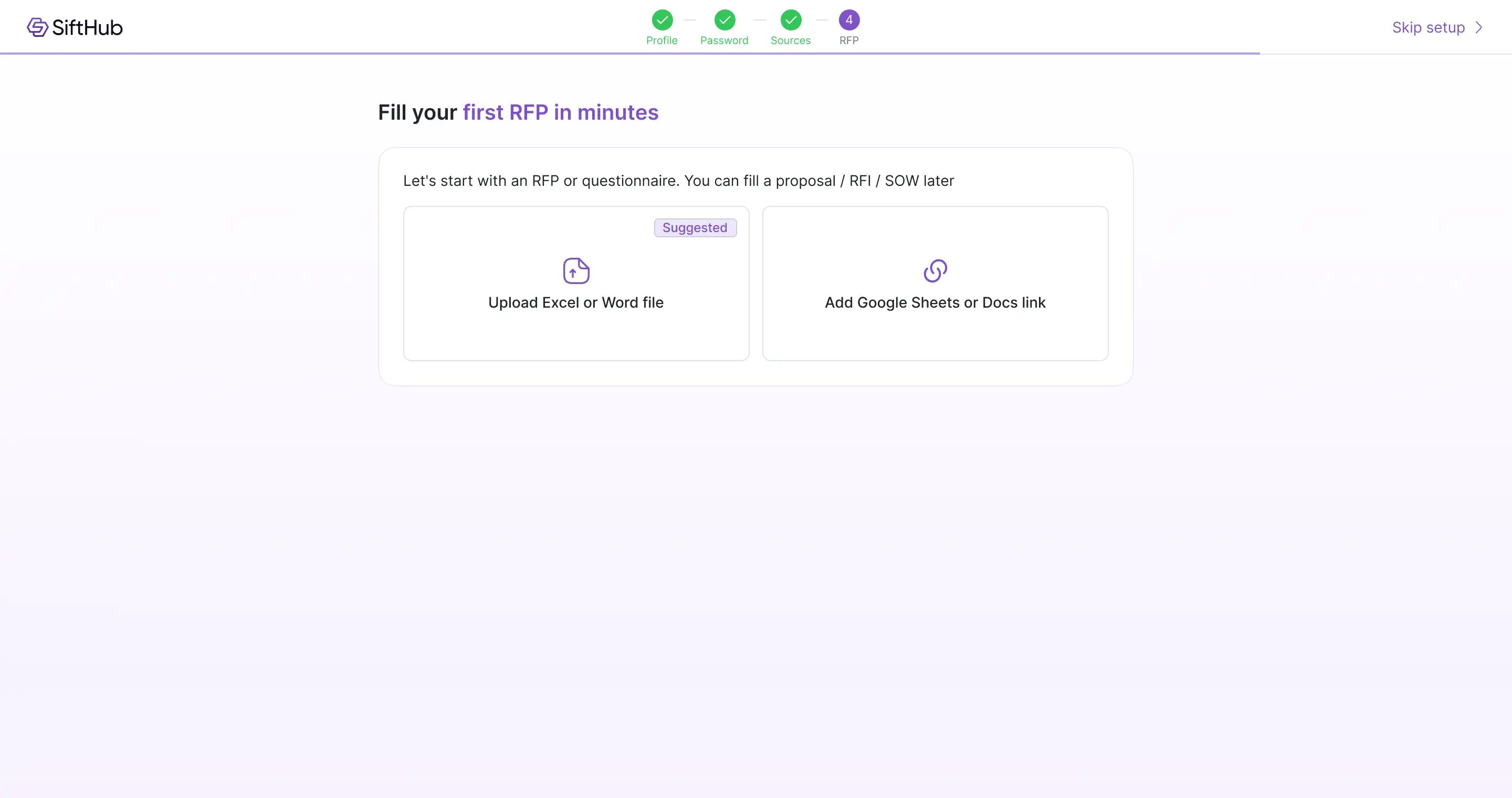
Upload RFP to fill
Upload or link a real RFP. Auto-detects columns, jumps to autofill.
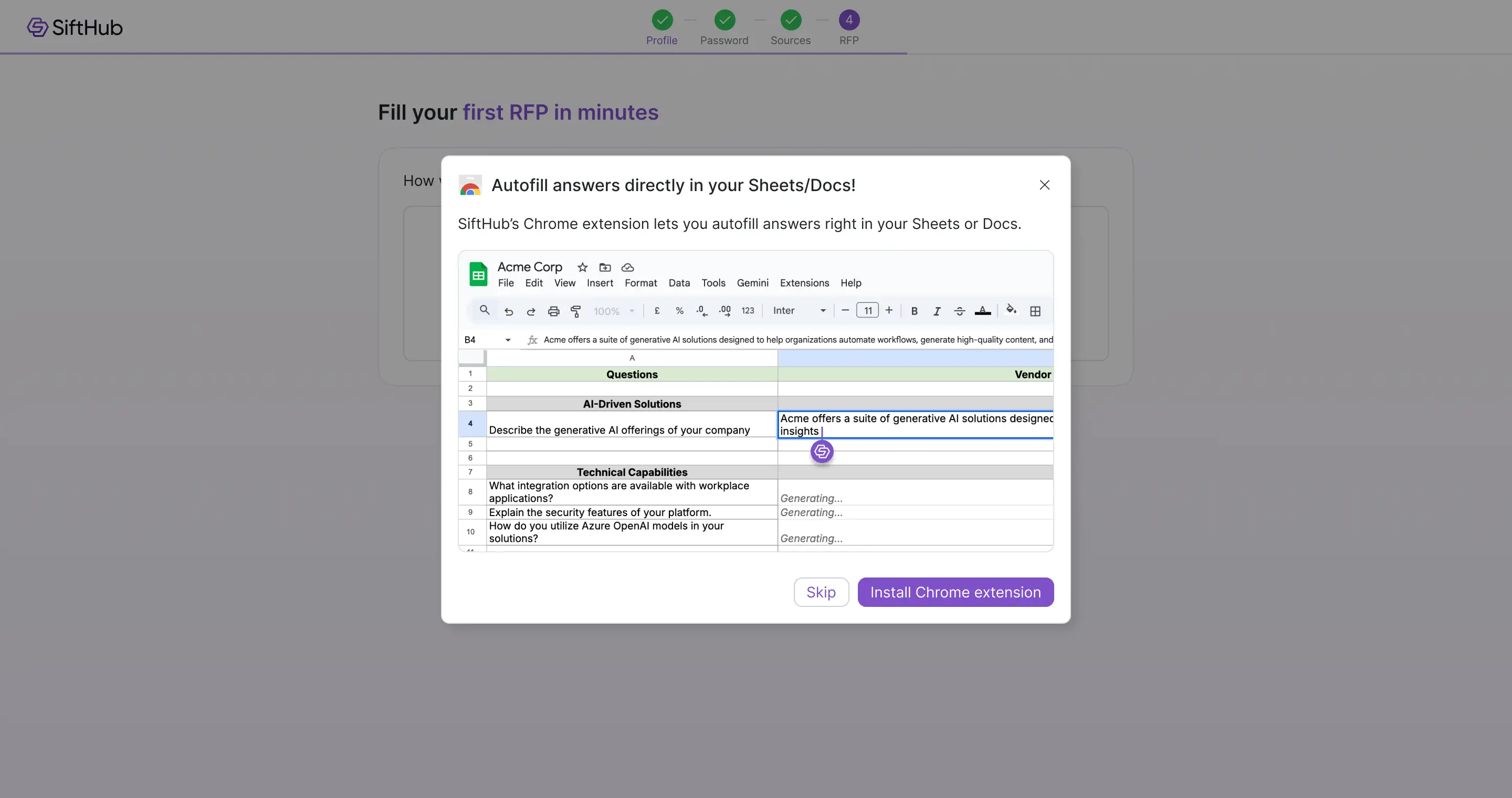
Nudging users to install the Chrome extension
Most of our users prefer working in Google Sheets, filling RFPs directly there instead of in the web app. That workflow needs the Chrome extension. The challenge was nudging them to install it at the right moment, after they've felt the value, not before. (Once they click any option to upload or link their RFP, we prompt them to install the extension.)
Generating answers, educating along the way
Once users upload their RFP, SiftHub starts generating answers in the background. Instead of showing a blank loading state, we use this moment to introduce key parts of the RFP workflow, including sources, review, and export. (The same education happens in the extension flow too, if they went that route.)
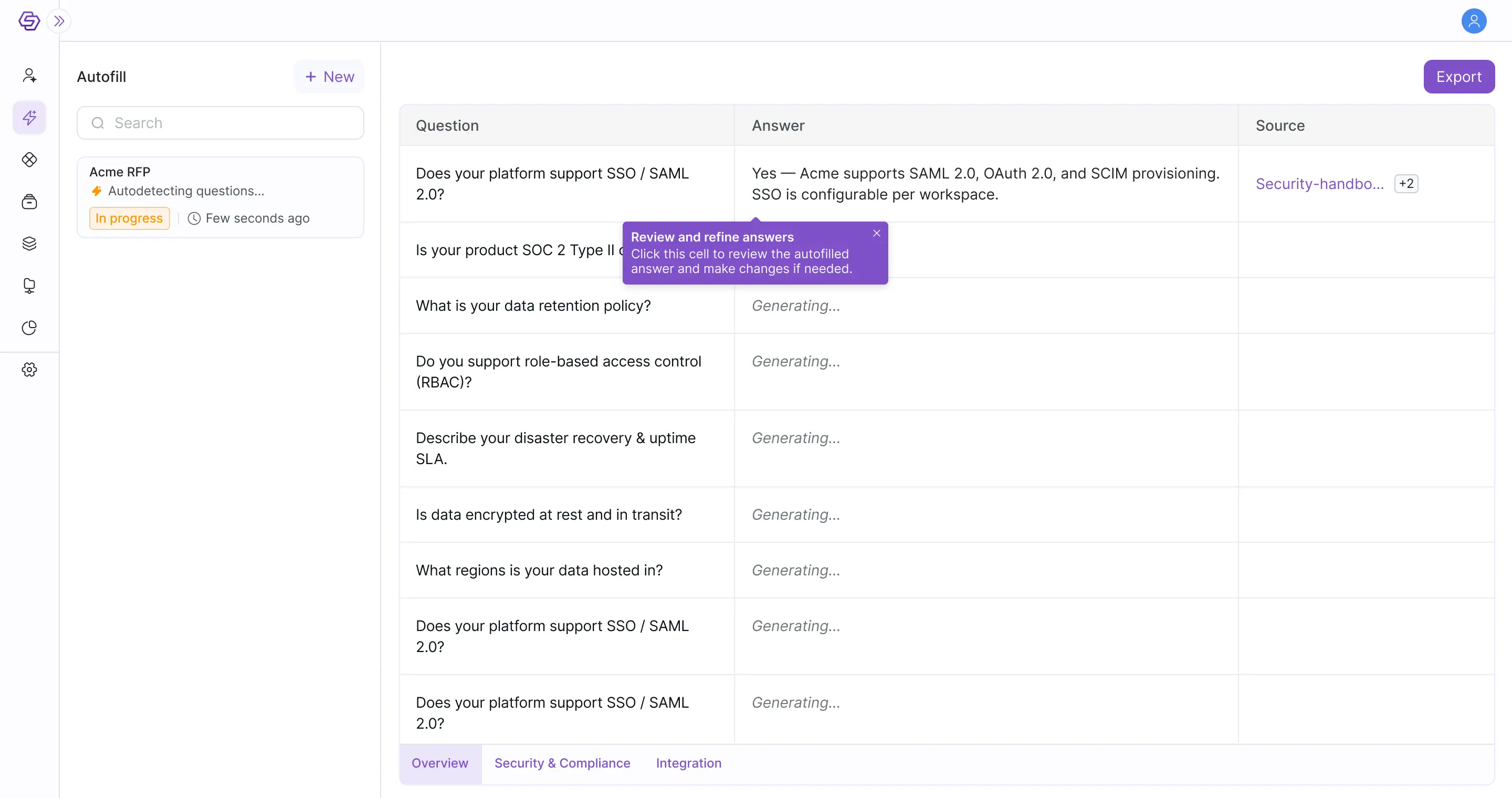
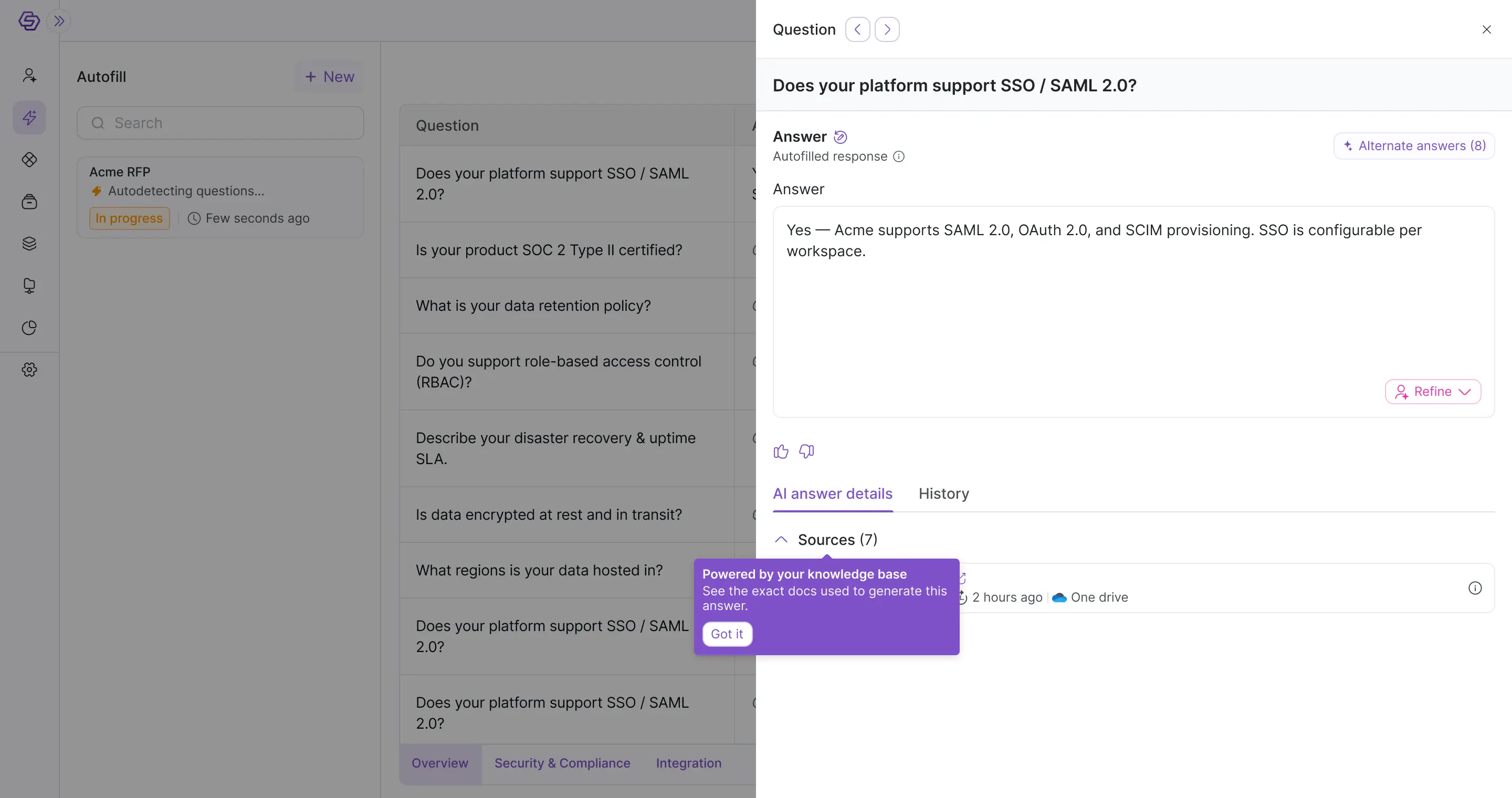
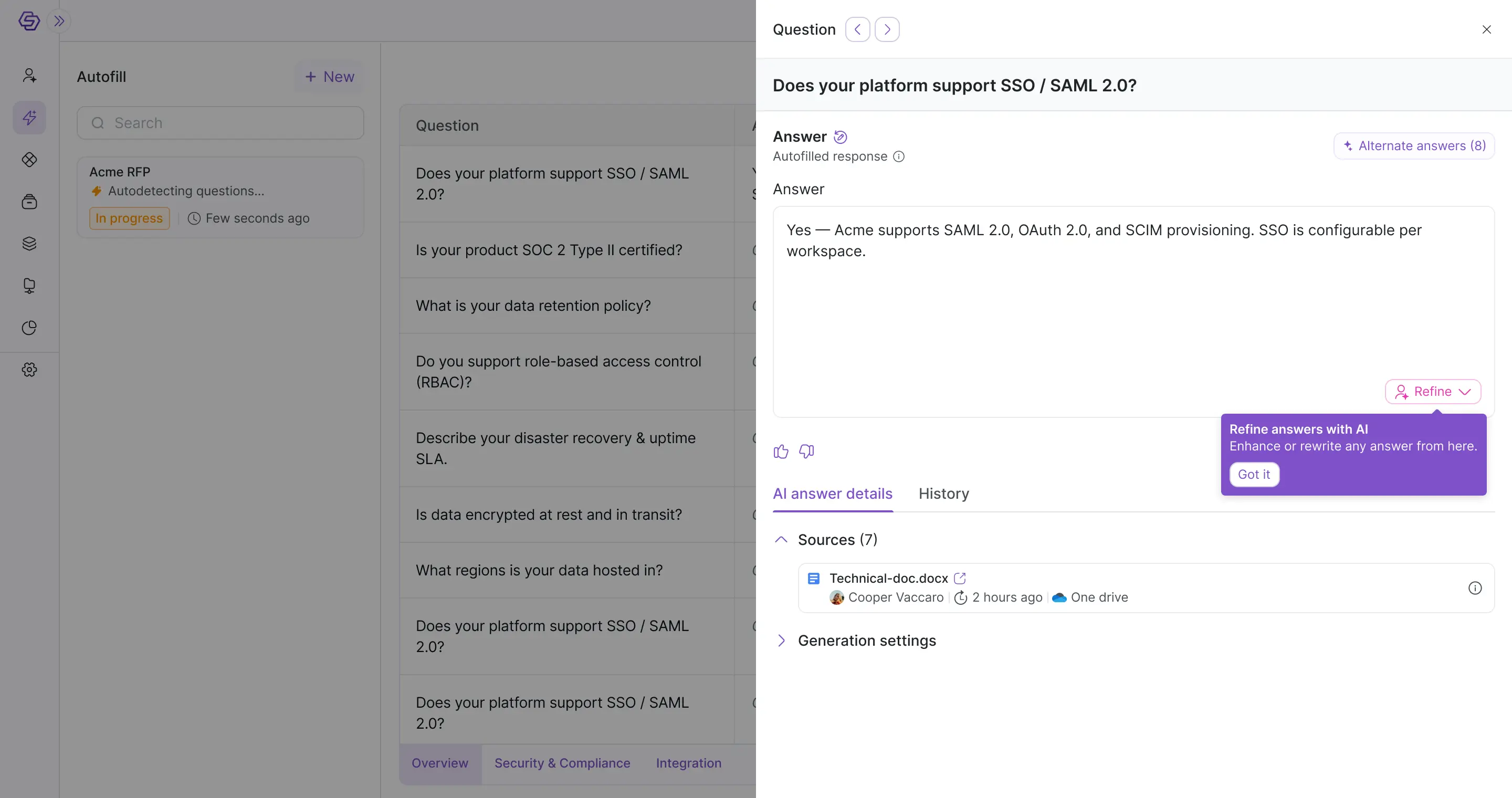
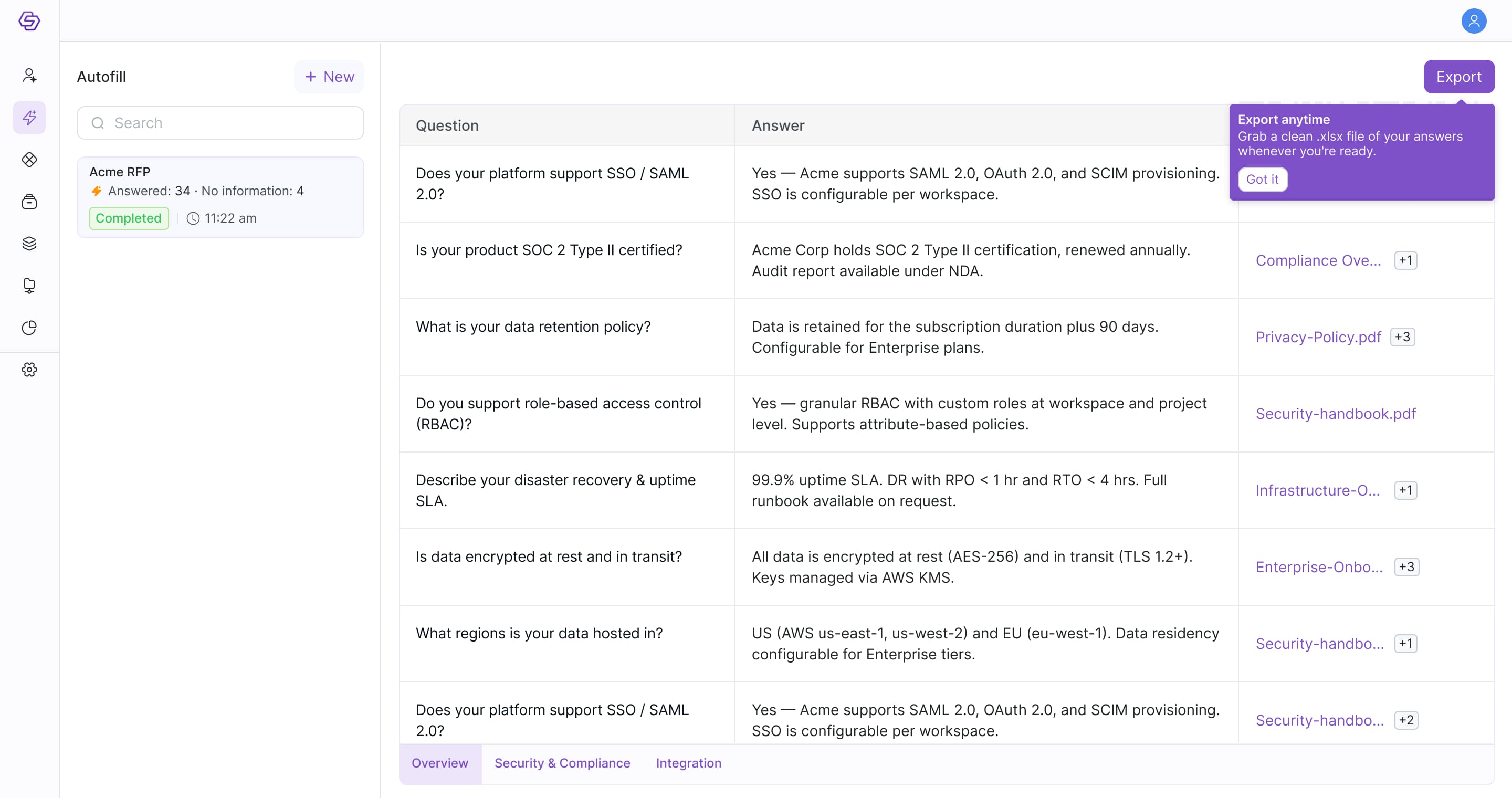
Nudge to review answer.
Key decisions
What we chose, what we didn't, and why
Prototype
See it in action
Outcome
Quicker activation, shorter sales cycles
The redesign launched to both enterprise and SMB users. With users seeing value quickly and onboarding themselves without help, sales cycles got shorter and the team had more capacity to focus on bigger deals.
What's next
Expanding onboarding to cover every user type
This iteration focused on the first-time account owner. The next phase extends that thinking to two more scenarios currently in progress.
Up next